The Leading AI Headshot Generator for Professionals
Changelog
Filter
Filter
New AI Prompt Assist
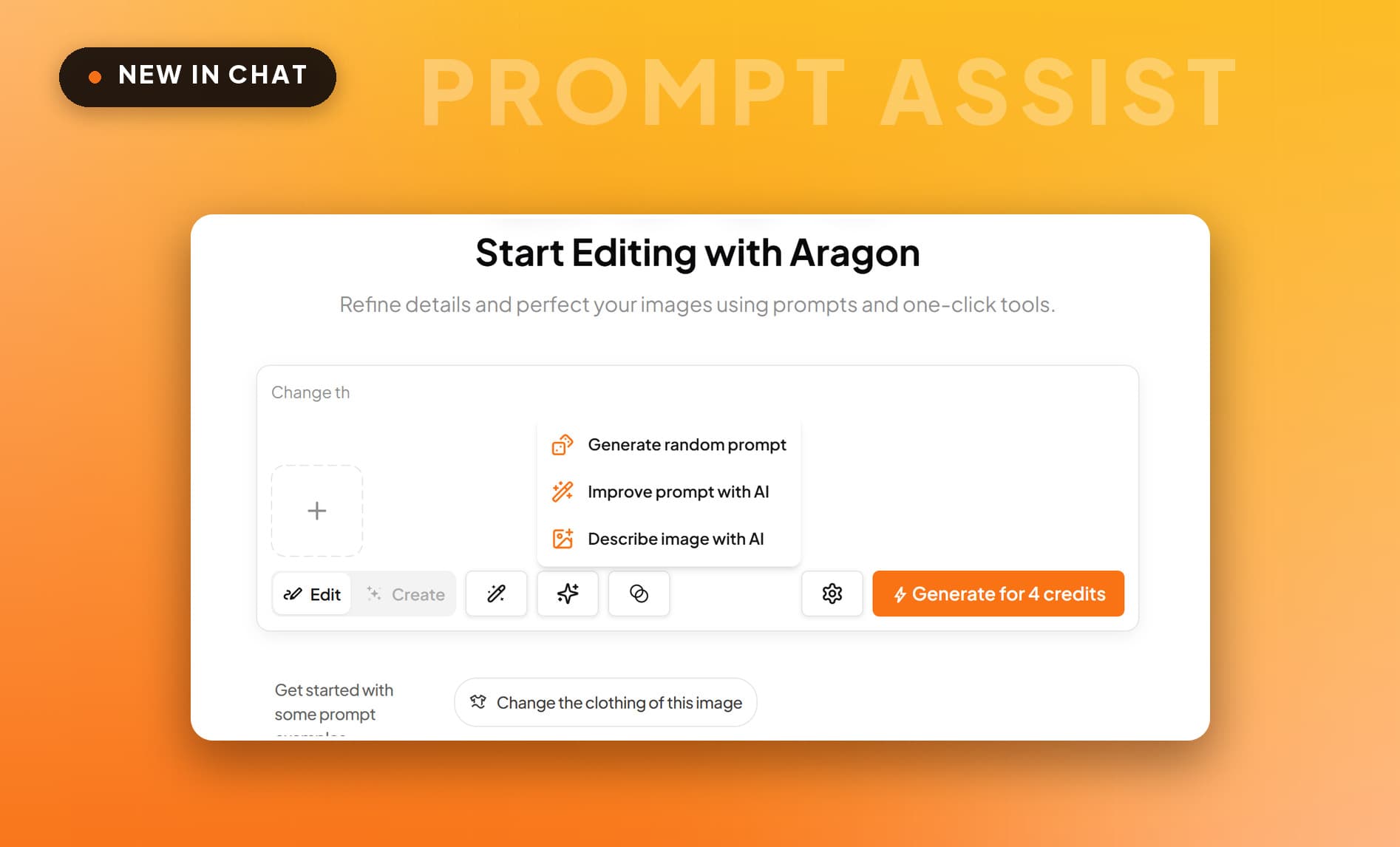
Prompt Assist writes the prompt for you in AI Chat, from an empty box, a rough draft or an uploaded image.
What's New
- Start from nothing: One tap fills an empty box with a complete prompt.
- Sharpen a rough draft: Type it however it comes out and Prompt Assist tightens it into a full prompt.
- Work backwards from a photo: Upload an image and Aragon describes it back as a prompt. Change one detail for a variation.
Prompt Assist is in the chat input bar now, next to the model controls.
New AI Video Models - Seedance 2.5, Sora 2 and More
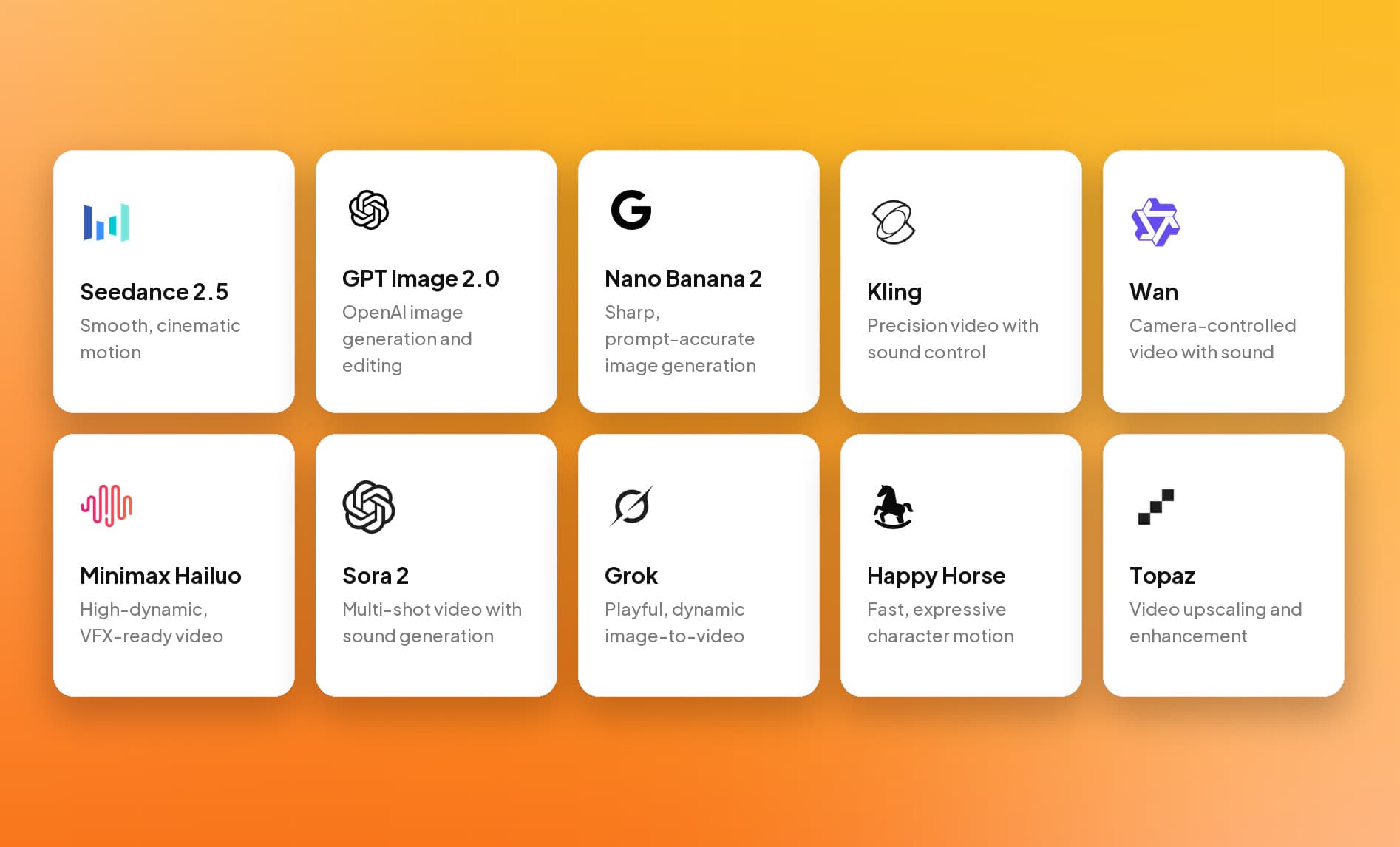
AI Video now runs on more than thirty models, with Seedance 2.5 as the default at 1080p.
What's New
- Seedance 2.5, the default: Our sharpest video model, now at 1080p, and it takes an uploaded audio track so a clip can carry your own voice.
- Flux 3 and Gemini Omni Flash, the newest: Flux 3 for crisp, controlled shots. Gemini Omni Flash when you want a draft back fast.
- And two dozen more: Sora 2, the Veo 3.1 family, Kling O3 and V3, Hailuo, Wan and Grok Imagine, so you can change model per shot rather than commit to one for the project.
Every model above is live now in AI Video.
New AI Editor Tools - Classic Film Camera Looks
The G7X, Disposable, Golden Flash and Kodak Gold filters reproduce the look of the cameras and film they are named after.
What's New
- G7X Camera Filter: The crisp, clean look of a Canon G7X, the compact camera behind a lot of vlog footage.
- Disposable Camera Filter: Grainy, nostalgic, flash falloff and all.
- Golden Flash Filter: The warm golden flash of a night-out photo.
- Kodak Gold Filter: Warm tones and soft contrast, straight off Kodak Gold film.
All four are available now in the AI Editor.
New AI Editor Tools - Effortless Photo Retouching
Mirror Clean, Smudge Fix, Shine Control and Under Eye Brightener each fix one thing and leave the rest of the photo alone.
What's New
- Mirror Clean: Erase smudges and stains from mirror selfies.
- Smudge Fix: Clean up smeared or uneven makeup, just the affected area.
- Shine Control: Tone down oily shine without flattening the skin.
- Under Eye Brightener: Lighten and refresh the under-eye area.
All four are live now in the AI Editor.
New AI Editor Tools - Fix Blinks and Perfect Features
Eye Fixer, Smile Fixer, Nose Fixer and Nose Enhancer correct one feature each.
What's New
- Eye Fixer: Open closed or mid-blink eyes, matched to your own eye shape and gaze.
- Smile Fixer: Relax a forced smile without changing the rest of your expression.
- Nose Fixer: Smooth out scrunched or squished nose shapes.
- Nose Enhancer: Refine and balance your nose shape, amount adjustable.
All four are available now in the AI Editor.
New AI Editor Tools - Flattering Angles and Silhouettes
Camera Angles, Body Type Editor, Face Slimming and Tan Boost adjust perspective and shape in a photo you have already taken.
What's New
- Camera Angles: Adjust the angle to a more flattering perspective.
- Body Type Editor: Reshape your silhouette from slim to plus size, clothing and proportions following.
- Face Slimming: Slim and contour your face shape, subtle or strong.
- Tan Boost: Add a sun-kissed glow that still looks like your own skin.
All four are live now in the AI Editor.
New AI Photo Studio - A Cleaner Way to Browse
AI Photo Studio now splits Styles, Packs and Creations into three tabs, with category filters for what you are shooting.

What's New
- Styles, Packs and Creations: One look, a full themed shoot, or everything you've already made. Each gets its own tab.
- Filter by what you are shooting: Travel, Football, Candid, Beauty Shot, Y2K, Retro, Music Fest, Luxury and more.
- Recreate anyone's style: Open any photo in the grid to see who made it. Pick one of your characters and Aragon generates the same look with you in it.
The new AI Photo Studio is live in your dashboard.
New Dashboard Home - A Studio for Every Project
Dashboard home now gives Photo Studio, Photo Editor and AI Video a section each, with live previews of what they make.
What's New
- Every studio on one screen: Photo Studio, Photo Editor and AI Video each get their own section with live previews.
- Top creations and popular creators: Standout work from the Aragon community.
- Easier tool discovery: Carousels for tools, packs and styles.
The new dashboard home is live now for all users.
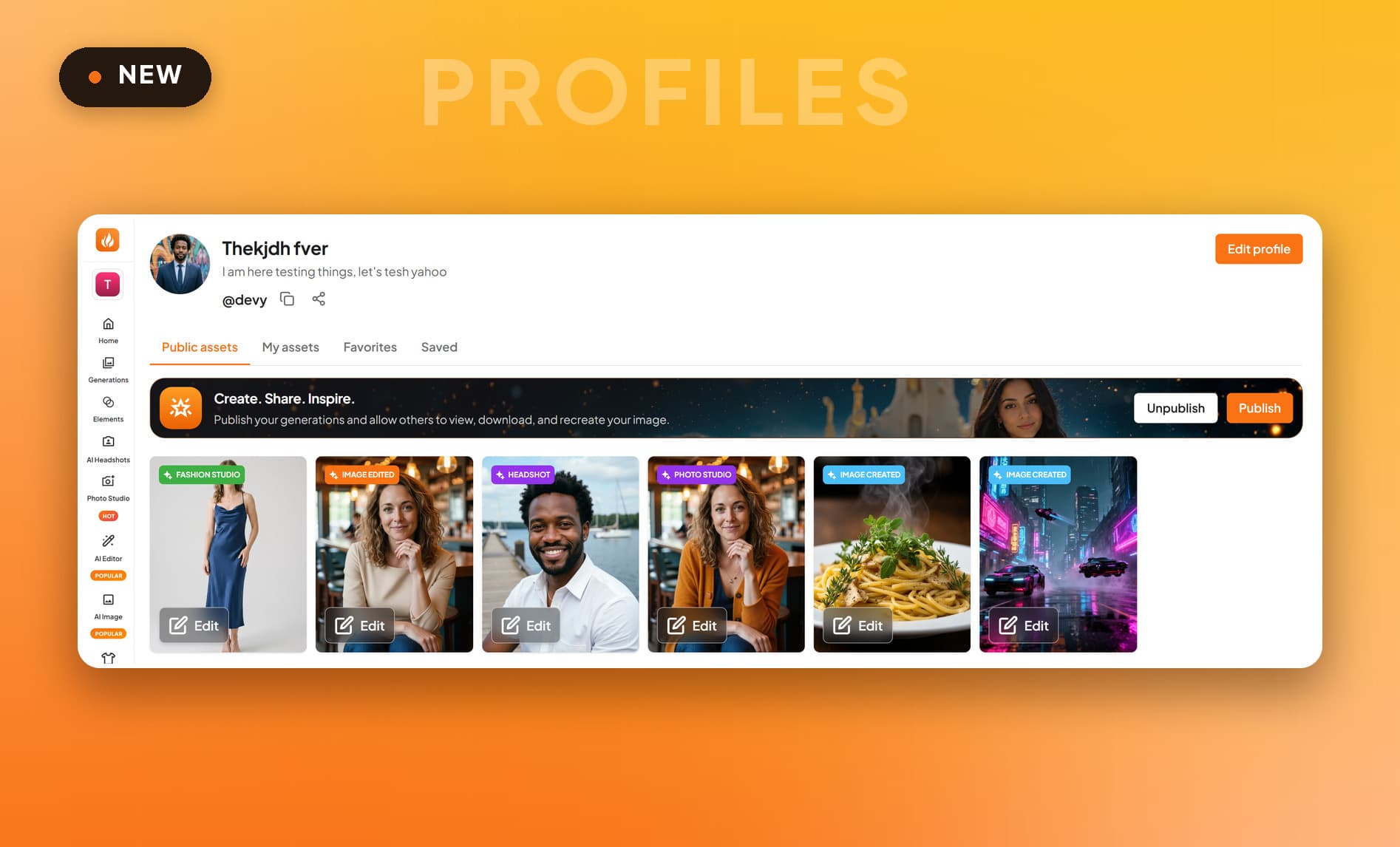
Creator Profiles give you a public page under a username you claim, showing only the work you choose to publish.
What's New
- Your own profile: A public page at the username you claim, holding the work you want people to see.
- You choose what is public: Publish as much or as little as you like, one image at a time.
- Discover other creators: See what other people are making with Aragon, with popular creators featured on your dashboard home.
Creator profiles are live now.
New AI Editor Tools - Glasses, Watches, Hats and Bags
Try on glasses, a watch, headwear or a handbag in a photo you already have.
What's New
- Glasses Try-On: Glasses and shades in every shape and color, positioned on your own face.
- Watch Try-On: Any watch, classic dial to smartwatch, sized to the wrist in your photo.
- Headwear Try-On: Hats, headbands and headscarves that follow your hairline.
- Handbag Try-On: Totes to evening clutches.
All four are live now in the AI Editor.
New AI Editor Tools - New Hair and Eye Color
Hair Color Editor and Eye Color Changer recolor hair and eyes while keeping your own texture, part and iris catchlights.
What's New
- Hair Color Editor: Blonde, brunette or bold, with your own texture, part and highlights intact.
- Eye Color Changer: Change your eye color, subtle or striking, with the catchlights of a real iris.
Both are available now in the AI Editor.
New AI Editor Tools - Try On Jewelry Instantly
Try on necklaces, earrings, bracelets and rings in a photo you already have.
What's New
- Necklace Try-On: Fine pendants to layered pearls, sitting naturally against your neckline.
- Earring Try-On: Studs to full chandeliers, matched to the lighting in the shot.
- Bracelet Try-On: Delicate diamonds to bold cuffs, wrist and hand position preserved.
- Ring Try-On: Diamonds to classic gold bands.
All four are available now in the AI Editor.
Introducing Ad Studio - Product Ads in Formats That Work
Ad Studio builds a product ad from one of five formats, then writes the hook, the script and the shot list for it.
What's New
- Five ad formats: UGC, Tutorial, Unboxing, Product Review and Try-On. Each comes with its own shot list.
- A hook and a place to film it: Choose an opening hook and a setting. A bedroom, a rooftop, a gym, a car. The script is written around both.
- Your product stays your product: Reference-to-video holds the product steady across the whole clip. Audio is on by default.
Ad Studio is live now in your dashboard.
Introducing Cinema Studio - Direct the Shot
Cinema Studio gives you genre, color grade, lighting and camera move as controls, and assembles a scene one shot at a time.
What's New
- Genre and color grade: Drama, Epic, Action, Horror, Comedy or Noir, then a grade like Teal Orange Epic, Hyper Neon or Classic B&W.
- Lighting and camera move: Set how the scene is lit and how the camera travels through it.
- Built for more than one shot: Cinema Studio is made for sequences. Assemble a scene a shot at a time instead of regenerating the whole thing.
Cinema Studio is live now in your dashboard.
New in AI Video - Upscale Any Clip to 4x
Upscale Video rebuilds detail at 1.5x, 2x or 4x, with nothing else to configure.
What's New
- Three settings, one download: Add the clip, choose 1.5x, 2x or 4x, and take back a crisp file. Nothing else to configure.
- Made for footage you already have: Old phone video, compressed exports.
Upscale Video is live now in AI Video.
New in AI Video - Edit Footage With a Sentence
AI Video edits footage from a prompt, holding the original lighting, perspective and shadows through the change.
What's New
- Describe the change: Type it the way you'd explain it to a person. Tag an element with @ to be precise.
- Relight, swap, reframe, restyle: Change the lighting, replace an object, recompose the frame, remove a distraction, shift the whole color palette.
- The rest of the shot stays put: Lighting, perspective and shadows carry through, so a changed object still belongs in the scene.
Edit Video is live now in AI Video.
New in AI Video - Lipsync Makes Any Photo Speak
Lipsync turns one headshot into a speaking presenter from a typed script or your own audio, and runs on Seedance 2.5 at 1080p.
What's New
- One clear photo is the whole setup: Upload a headshot of your speaker and you have your presenter.
- Type a script or bring your own audio: Write what they say and it's voiced for you, or upload a recording and keep the voice you know.
- Runs on Seedance 2.5: Our sharpest video model takes your audio track directly, and holds the sync at 1080p.
Lipsync is live now in AI Video.
New in AI Video - Motion Control Copies Any Move
Motion Control copies a movement from a reference clip onto your character, down to the timing, with presets if you have no clip.
What's New
- Show the move instead of describing it: Upload any clip of the movement and your character performs it, down to the timing.
- Presets library: Everything from a gym set to a TikTok dance, so you can start without filming.
- One photo of face and body: A single full-body photo keeps your character recognizable through every frame.
Motion Control is live now in AI Video.
Introducing AI Video - Create a Clip From a Single Photo
AI Video generates a clip from a single photo and a sentence, with guided presets that write the prompt for you.
What's New
- Start from a photo, or from nothing: Upload an image and it becomes the first frame. Or skip it and describe the shot.
- Presets that write the prompt: Guided presets cover the common shots. Each one writes the prompt for you.
- Pick the model per shot: Seedance 2.5, Flux 3, Gemini Omni Flash, Kling and Veo 3.1, each suited to a different kind of shot.
Create Video is live now in AI Video.
New AI Editor Tools - Enchanted Scenes and Miniature Worlds
Snow Globe, Snowy, Fairy and Custom Giant Doll build a scene around you rather than filtering the photo you started with.
What's New
- Snow Globe Generator: Shrink any photo into a glass snow globe, drifting snow and display base included.
- Snowy Filter: Blanket a photo in winter snow. Soft flakes and cool light.
- Fairy Filter: Become a winged fairy, luminous detail and storybook setting.
- Custom Giant Doll Filter: See yourself as an oversized collectible doll, boxed and posed.
All four are available now in the AI Editor.
New AI Editor Tools - Nostalgic Film Looks and Cinematic Motion
Photobooth, Y2K, Sunset Glow and Motion Blur add film character to a photo, from a four-frame strip to directional blur.
What's New
- Photobooth Filter: The four-frame strip, tight crop and warm flash included.
- Y2K Filter: Grainy flash, blown-out color, that early-2000s camera glow.
- Sunset Glow Filter: Golden hour on demand. Warmer skin, deeper shadows, composition untouched.
- Motion Blur Filter: Directional blur that makes a still read as caught mid-action.
All four are live now in the AI Editor for every Aragon user.
New AI Editor Tools - Picture-Perfect Selfies and Bold Makeup
Selfie Generator, Head Turner and Creative Makeup reframe a photo at arm's length, turn a street's attention on you, or apply editorial makeup.
What's New
- Selfie Generator: Turn any photo into a selfie, framed and angled at arm's length.
- Head Turner Filter: Put yourself on a busy street where every head turns your way.
- Creative Makeup Filter: Editorial makeup, graphic liner to full color-blocking, applied to your own features.
All three are live now in the AI Editor.
New AI Editor Tools - See Yourself Reimagined
Future Baby Generator, Gender Swap, Muscle Filter and Cultural Wedding Filter each generate a version of you from the photos you upload.
What's New
- Future Baby Generator: An AI glimpse of your future baby, blending features from the photos you upload.
- Gender Swap Filter: A gender-swapped you, with expression, styling and setting intact.
- Muscle Filter: Preview a stronger you, pose and lighting unchanged.
- Cultural Wedding Filter: Traditional wedding attire from around the world, with the drape of real fabric.
All four are live now in the AI Editor.
New AI Editor Tools - Star in Your Own Scene
Spotlight Portrait, Live Broadcast, Extreme Sports and Mugshot put you in a staged scene, with the lighting and framing that comes with it.
What's New
- Spotlight Portrait Generator: A dramatic studio spotlight, with the falloff and contrast of a real rig.
- Live Broadcast Generator: A candid frame from a live broadcast, framing and grade included.
- Extreme Sports Filter: Drop into an action scene, mid-air stunt to alpine descent.
- Mugshot Filter: Your own crime-drama mugshot, harsh flash and height chart included.
All four are available now in the AI Editor.
New AI Editor Tools - Sharper, More Accurate Headshots
Skin Enhancer, Hair Fixer, Face Swap and Background Enhancer sharpen the four things that decide whether a headshot gets used.
What's New
- Skin Enhancer: Erase pimples, scars and dark spots with your own skin texture intact.
- Hair Fixer: Tame flyaways and frizz for camera-ready hair.
- Face Swap: Swap in your face, hair and build for a closer likeness.
- Background Enhancer: Clean up and sharpen the space behind you.
All four are live now in the AI Editor.