






The Leading AI Headshot Generator for Professionals
Changelog — Page 3
Filter
Filter
New Image Preview Updates - More Detail, Easier to Rate and Review
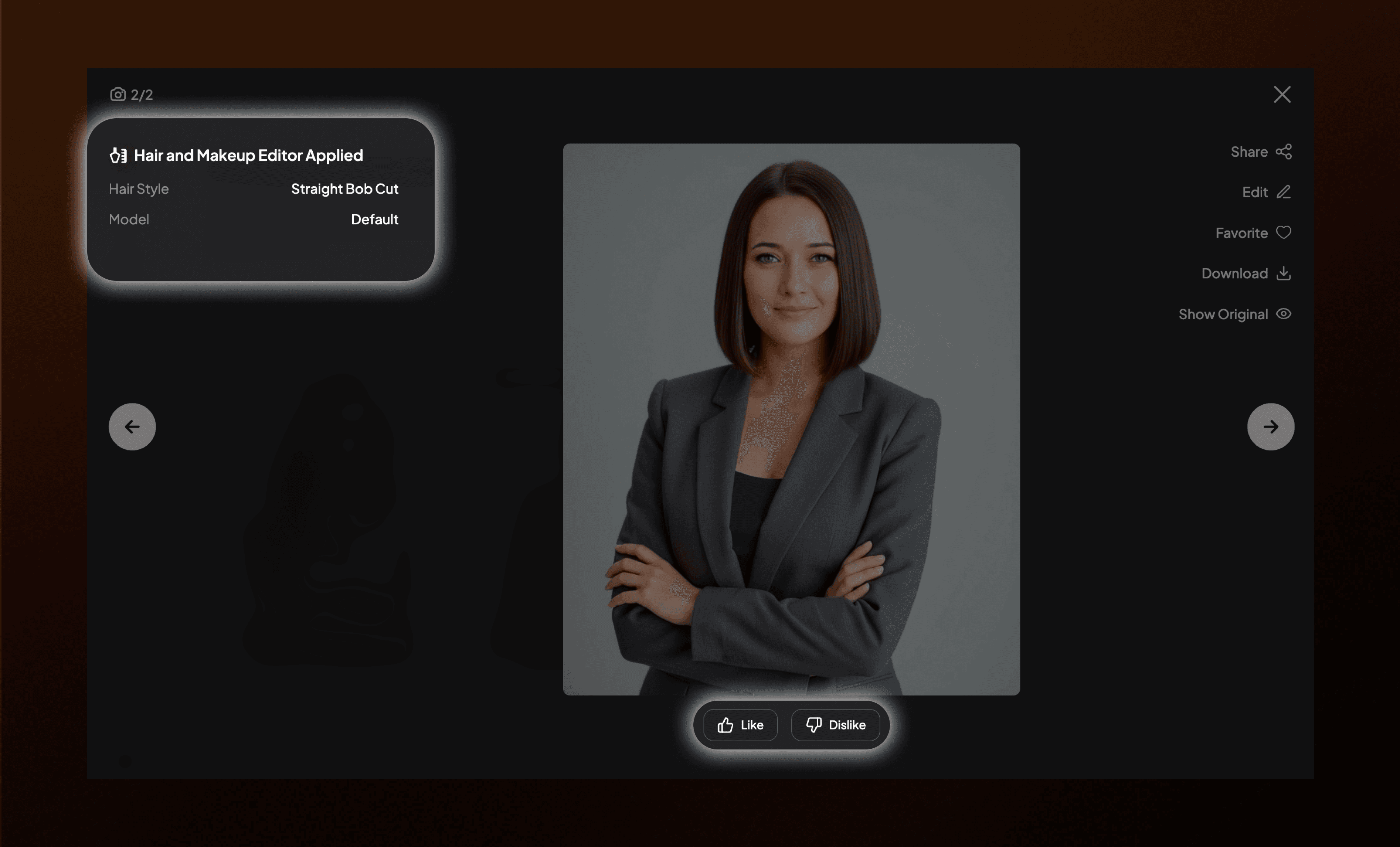
We've upgraded the image preview experience, so you have everything you need to review, rate, and share feedback on your photos in one place.
What's Updated
- Image Preview: A richer, more informative way to review your generated images, now with two key upgrades:
- Editing History Panel: See a full breakdown of every edit applied to your image, so you always know exactly how your photo was created and refined.
- Feedback & Rating Controls: Like or dislike individual photos and leave direct feedback without ever leaving the preview — making it easier than ever to flag your favorites and help us improve your results.
New Onboarding Flow – Get to Your Photos Faster
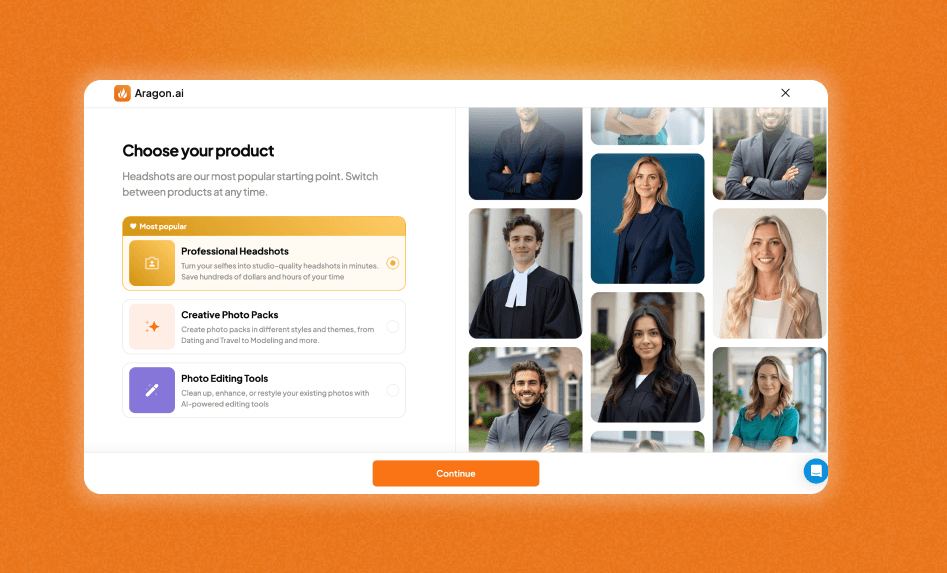
We've improved our signup experience. New users can now pick exactly what they want to do first, and we'll take you straight there.
What's New
- Choose your path: After signing up, you'll see three options: Professional headshots, Creative photo packs, or Photo editing tools. Pick one and go.
- Professional headshots: Our most popular option. Jump straight into creating polished AI headshots for work, LinkedIn, or anywhere you need to look sharp.
- Creative photo packs: Want something fun? See yourself in themed photo scenes like Dating, Glamour, Travel, and more. Great for social media, creative portfolios, or just for fun.
- Photo editing tools: Already have photos you love? Head straight to the AI Editor and start editing.
- Dynamic previews: The screen updates with example photos or tool animations based on what you select, so you know exactly what you're getting.
Where You'll See It
- New users will see this after clicking Create your headshots now on the homepage and signing up
New AI Photo Packs - Digital Nomad, Creative Artist, Art Gallery, and College Life
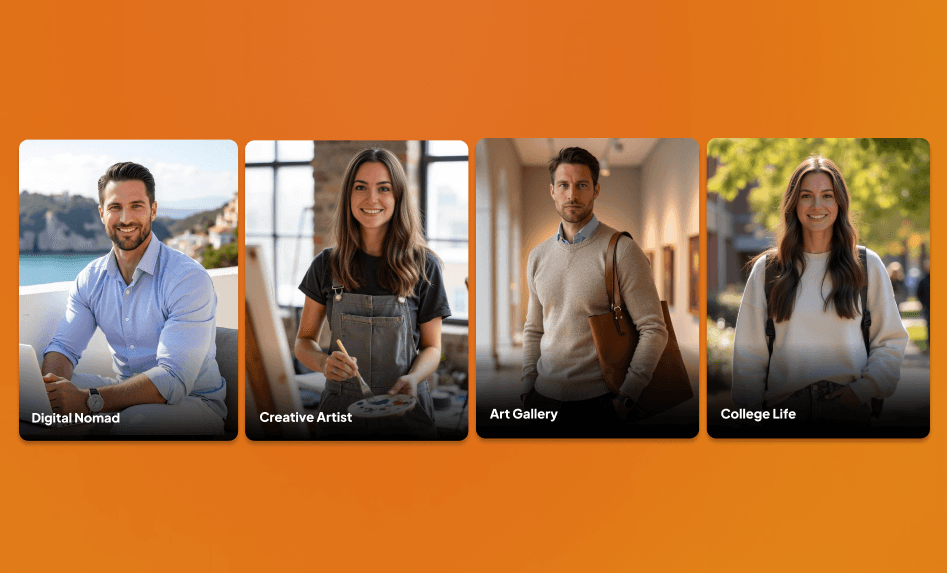
Four new packs to match how you work, create, and live.
What's New
- Digital Nomad: Work from anywhere with beachfront cafés, rooftop lounges, and coworking spaces around the world.
- Creative Artist: Get messy in the studio with paint-splattered aprons, pottery wheels, and artistic chaos.
- Art Gallery: Stand among masterpieces in minimalist galleries and curated exhibition spaces.
- College Life: Capture the campus energy with lecture halls, green lawns, and that classic student vibe.
Where You'll Find It Available now in our AI Photo Generator under Work & Career.
New AI Editor Tools – Turn Yourself Into Art
Three new creative tools just dropped in our AI Editor where you can now see yourself in a whole new creative way!
What's New
- Blind Box Generator: Turn any photo into an adorable collectible toy version of yourself. (A crowd favorite!)
- 3D Isometric Art Generator: Convert photos into cute colorful 3D illustrations.
- Magazine Cover Generator: Put yourself on a high-fashion magazine cover. Because why not?
Model Selection for AI Editor Tools – Choose Default or Advanced

You can now choose between two AI models when using our editing tools. Pick the one that fits your needs and budget.
What's New
- Default model: Standard quality and resolution. Good for quick edits and everyday use. Costs 4 credits.
- Advanced model: Higher quality output with 2K resolution. Best for when you want sharper details, and more accurate results. Costs 15 credits.
Where You'll See It
- Available now in AI Editor → look for the Model selection option on supported tools
New AI Editor Tools – Clean Up & Customize Your Photos
Three new tools just landed in our AI Editor to help you fix distractions and add some extra flair to your photos.
What's New
- Crowd Remover: Erase background strangers and photobombers in one click.
- Accessory Generator: Add sunglasses, hats, watches, necklaces, earrings, rings, bracelets, or handbags to any photo. Give your photos an instant style upgrade!
- 1990s Camera Filter: Get that grainy, nostalgic disposable camera vibe instantly. Perfect for social media.
New AI Photo Packs – Luxury Cruise, Luxury Hotel, and Fine Dining
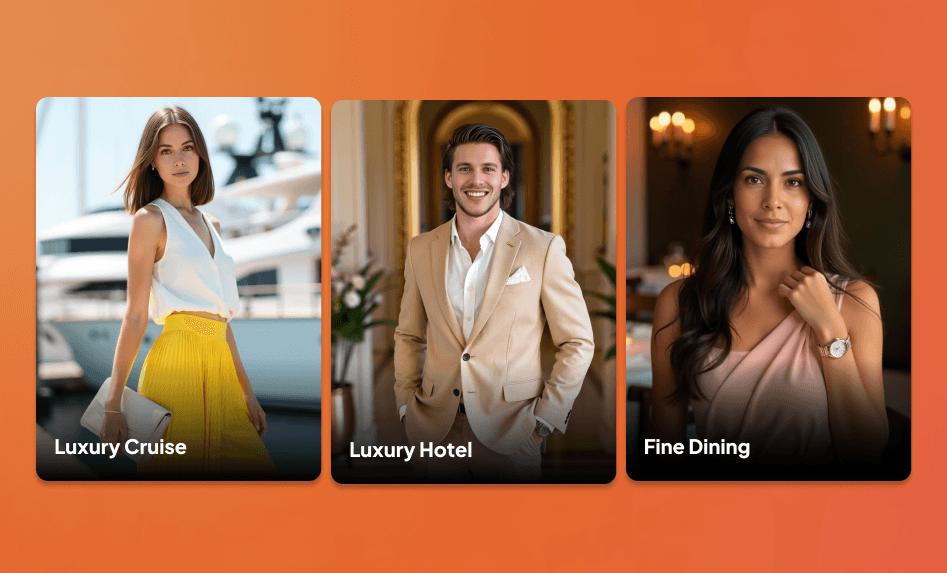
What's New
- Luxury Cruise: Capture yourself cruising in style with ocean views, sunset decks, and port stops at gorgeous destinations.
- Luxury Hotel: Look like you're vacationing at a five-star hotel with penthouse suites, rooftop terraces, and lobby settings.
- Fine Dining: Step into Michelin-star elegance with candlelit tables and refined atmospheres.
Where You'll Find It Available now in our AI Photo Generator under Classy & Luxurious
Demo Characters for Aragon Pro – Try Packs Without Uploading
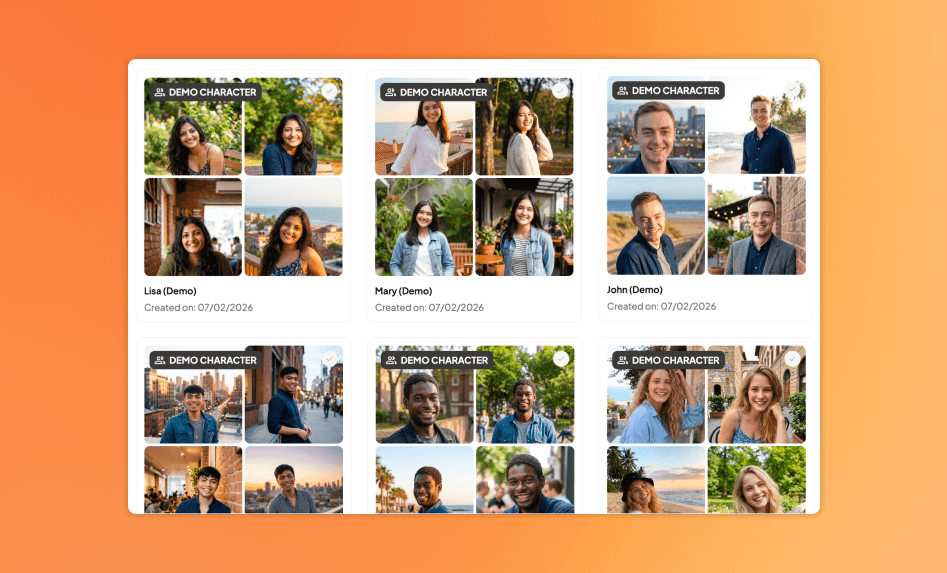
Want to try Aragon Pro photo packs without uploading your own photos? Now you can.
What's New
- Two demo characters: John and Anna are pre-loaded in your account. Use them to test any photo pack instantly.
- No uploads needed: See how packs look before creating your own character.
Where You'll See It
- Available in your character selection menu when creating a photo pack
New AI Photo Packs – Suit Collection Try-On, Dark Studio, and Lawyer Headshots
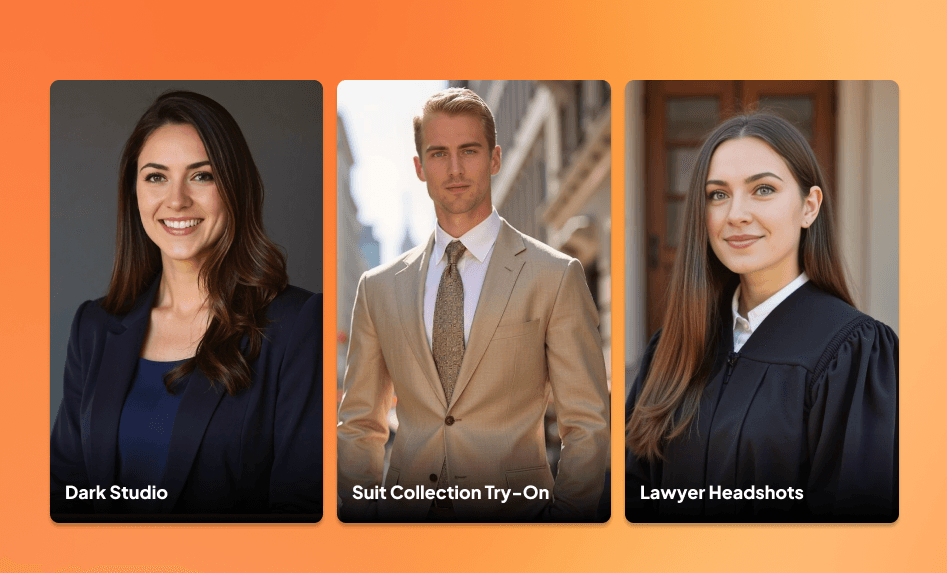
Three new AI photo packs are now available. These packs give you polished, professional looks for work profiles and business use.
What's New
- Suit Collection Try-On: See yourself in a variety of suit styles, from classic navy to modern slim-fit. Great for testing different professional looks.
- Dark Studio: Studio backdrop with dramatic lighting. Clean, bold, and perfect for standout headshots.
- Lawyer Headshots: Formal, professional shots designed for the legal industry. This AI photo pack features office settings, neutral backgrounds, and confident poses.
New Tool - Quick Chat Editor
A whole new way to edit your photos just launched. Now you can customize any image exactly how you want it, all in one place!
What's New
- Quick Chat Editor: Upload any photo and edit by simply describing what you want or choosing from our editing tools.
- All your edits stay in one conversation so you can keep refining until it's perfect. Plus, the editor auto-names your chats and images, and even suggests future edits based on what you've done before.
Aragon Pro Guided Walkthrough – Learn How Everything Works
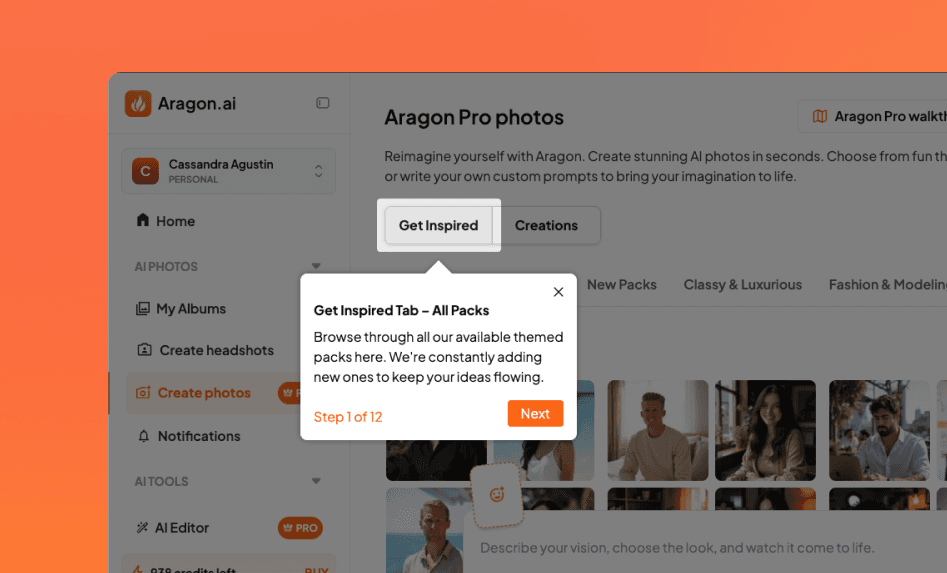
New to Aragon Pro? A step-by-step walkthrough now shows you how everything works.
What's New
- Guided walkthrough: The first time you visit the AI Photos page, a quick walkthrough shows you how to browse packs, search by theme, generate single images, and more.
- Reopen anytime: Missed something? Reopen the walkthrough from the side panel whenever you need a refresher.
- Works for everyone: Not subscribed yet? You can still explore the walkthrough to see what Aragon Pro offers before committing.
Where You'll See It
- Walkthrough appears when you visit Create photos
- Reopen via the Aragon Pro walkthrough button in the side panel
New Festival Photo Packs – Hot Air Balloon, Lantern Festival, and Oktoberfest
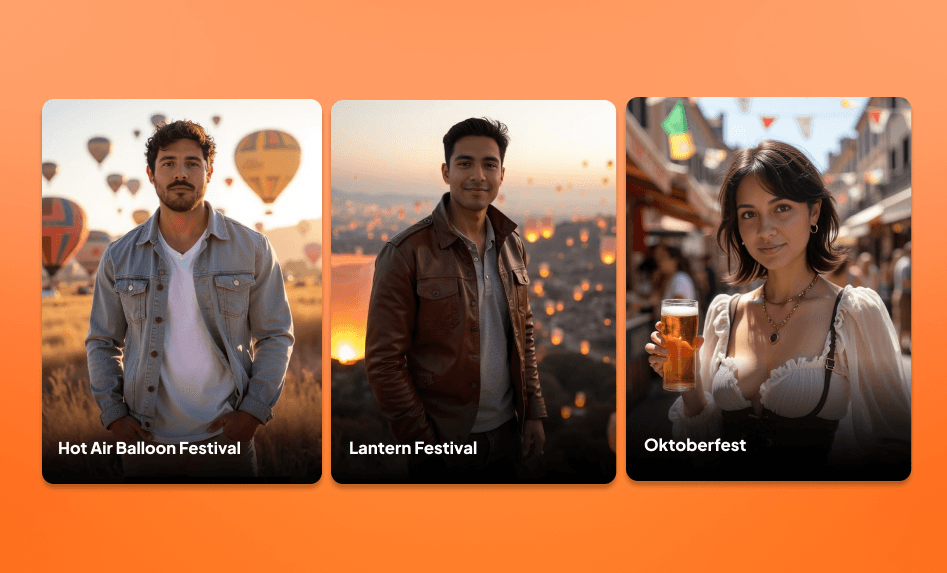
New Festival Packs are now available! These packs give you bright, celebratory scenes inspired by the most exciting festivals from around the world.
What's New
- Hot Air Balloon Festival: Inspired by famous global balloon festivals like Albuquerque and Cappadocia. Stand in front of a sky filled with colorful hot air balloons at sunrise or sunset.
- Lantern Festival: Hundreds of warm, glowing lanterns behind you in calm nighttime scenes inspired by East and Southeast Asian festivals.
- Oktoberfest: A lively Bavarian pub setting inspired by Germany's iconic Oktoberfest. Cozy wood interiors, warm lighting, and a festive atmosphere.
Where You'll See It
- Available now in Create photos → All packs
New Photo Packs – Pink Studio, Denim Style, and Orange Studio
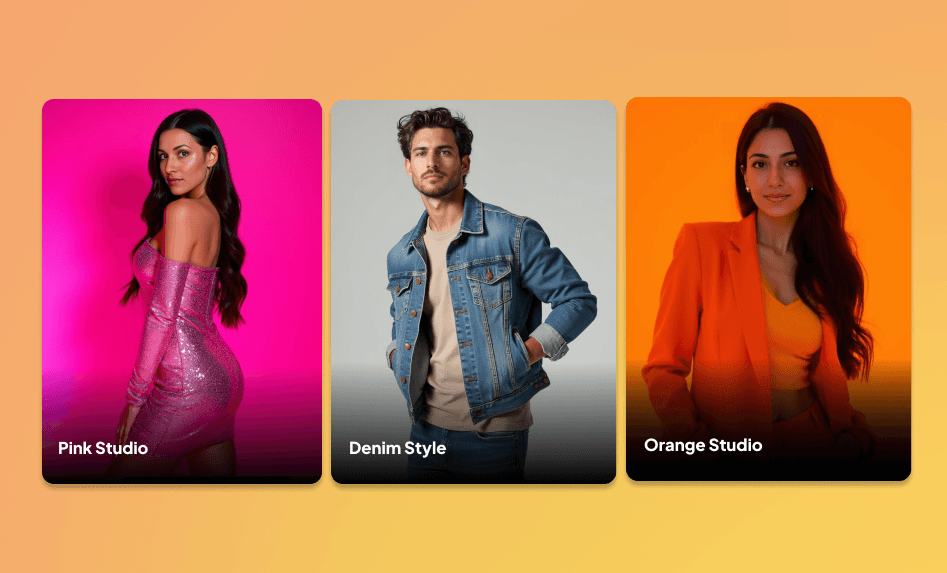
New Style Packs are now available. These packs focus on simple, bold looks you can use for fun, creative photos.
What's New
- Pink Studio: Try pink outfits and studio-style pink backdrops.
- Denim Style: See yourself in denim looks and clean studio lighting.
- Orange Studio: Create bright photos with orange tones and warm lighting.
Where You'll See It
- Available now in Create photos → All packs
New Cozy Photo Packs – Camping, Cottagecore, Cozy Evening, and Cozy Bookstore
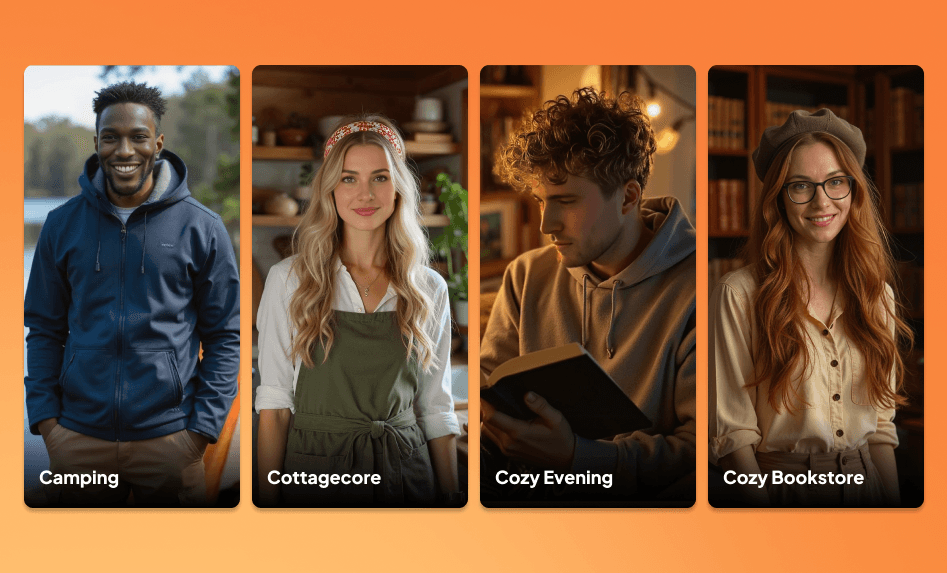
Four new cozy-themed packs are now available. These packs give you warm, relaxing vibes perfect for creative photos!
What's New
- Camping: For anyone who loves the outdoors. Get photos that look like you're sitting under the stars with a tent and lantern glow behind you.
- Cottagecore: Visit a quiet countryside scene with wildflowers, soft sunlight, and warm, simple details inspired by cozy rural life.
- Cozy Evening: Dim lighting, soft blankets, and relaxed indoor moods that feel like a calm night at home.
- Cozy Bookstore: Bury yourself in a book in a quiet reading corner, surrounded by warm lamps and tall shelves.
Where You'll See It
- Available now in Create photos → All packs
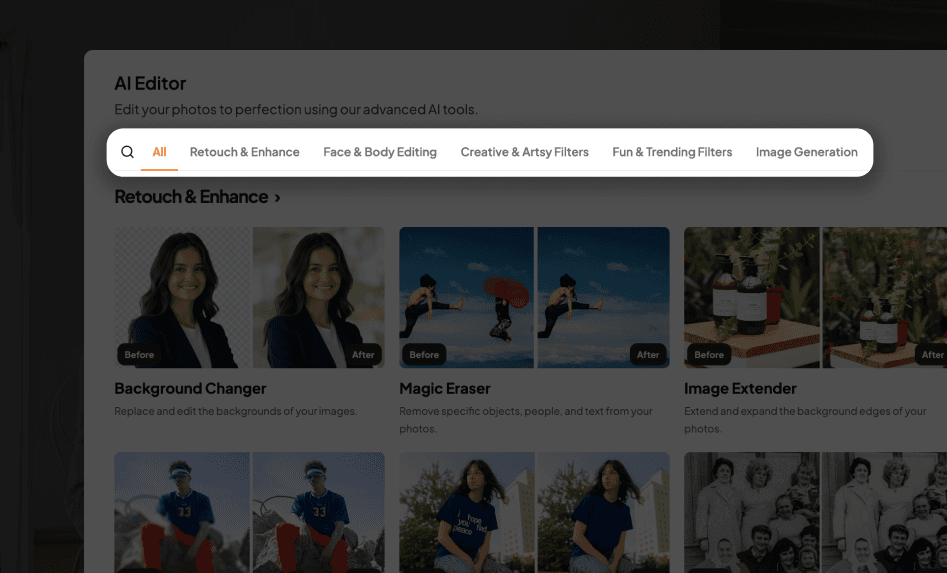
We've refreshed the AI Editor page to make it simpler to browse and find the right tools.
What's New
- Clear categories for each editing tool
- Search bar for quick access
- Updated layout with Before/After previews
Where You'll See It
- Available now on the AI Editor page for all personal and team accounts
New AI Editor Tools: Bokeh Effect, Pet to Human Filter, Image Tone Editor
Three new tools just dropped in our AI Editor, and they're about to make your photos way more interesting.
What's New
- Bokeh Effect: Add a soft, dreamy blur to your background. Perfect for making portraits pop or giving any photo that artsy touch.
- Pet to Human: Ever wonder what your pet would look like as a person? Now you can find out. (Crowd favorite, by the way!)
- Image Tone: Stop fiddling with sliders. Let AI auto-adjust your lighting and colors to make every shot pop.
Where You'll See It
- Available now in our AI Editor
New Adventure Photo Packs – Cherry Blossom, Northern Lights, and Wonders of the World
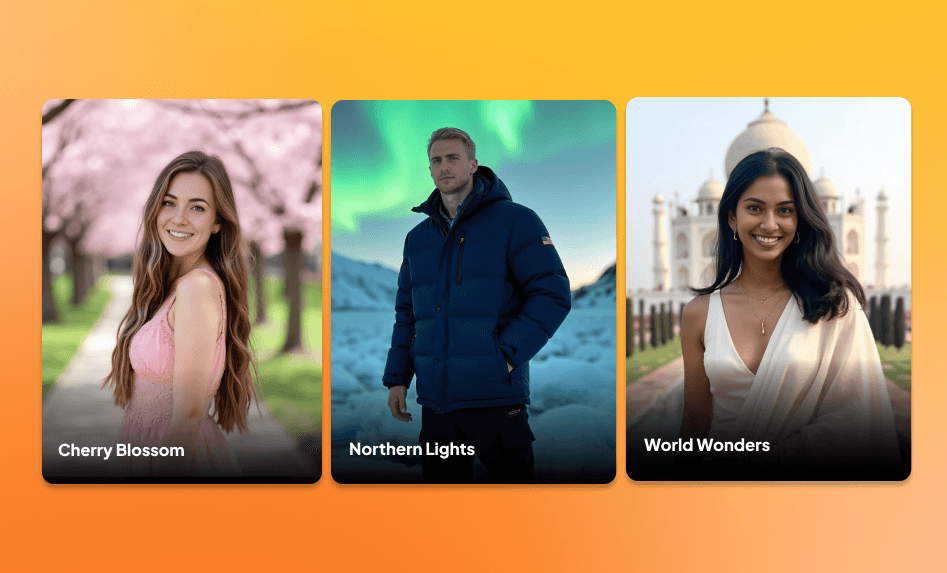
New Adventure Packs are now available. These packs give you travel inspired scenes that take you all around the world!
What's New
- Cherry Blossom: Walk under soft pink cherry blossoms inspired by Japan in spring.
- Northern Lights: Stand beneath glowing auroras with winter jackets and snowy landscapes.
- Wonders of the World: Place yourself in front of iconic landmarks like the Taj Mahal, Colosseum, and Eiffel Tower.
Where You'll See It
- Available now in Create photos → All packs
New Lifestyle Photo Packs – Prom Night, Dinner Date, and New Homeowner
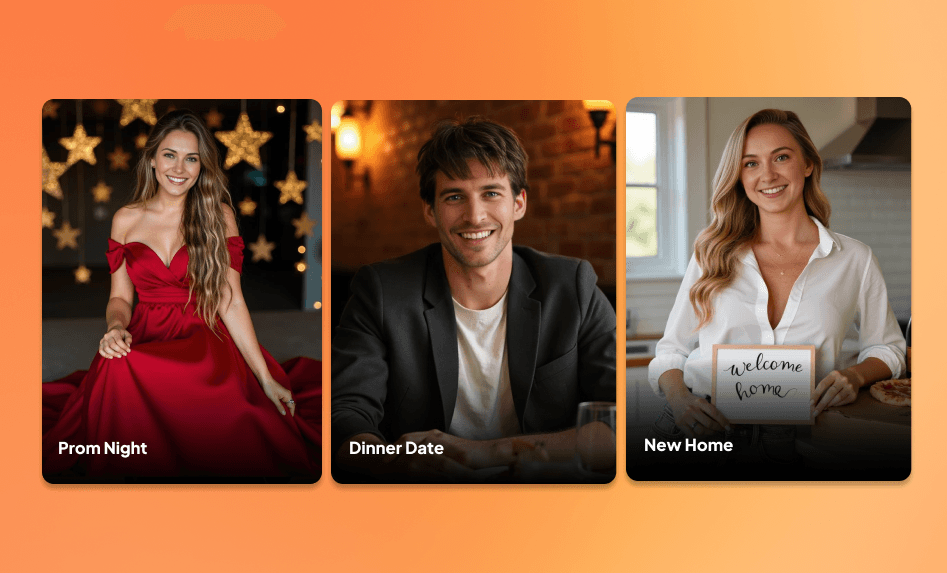
New Lifestyle Packs are now available! These packs give you fun events and activities you'll love to reimagine yourself in.
Where You'll See It
- Available now in Create photos → All packs
New Photo Packs – Independence Day, Boho, and Country Charm
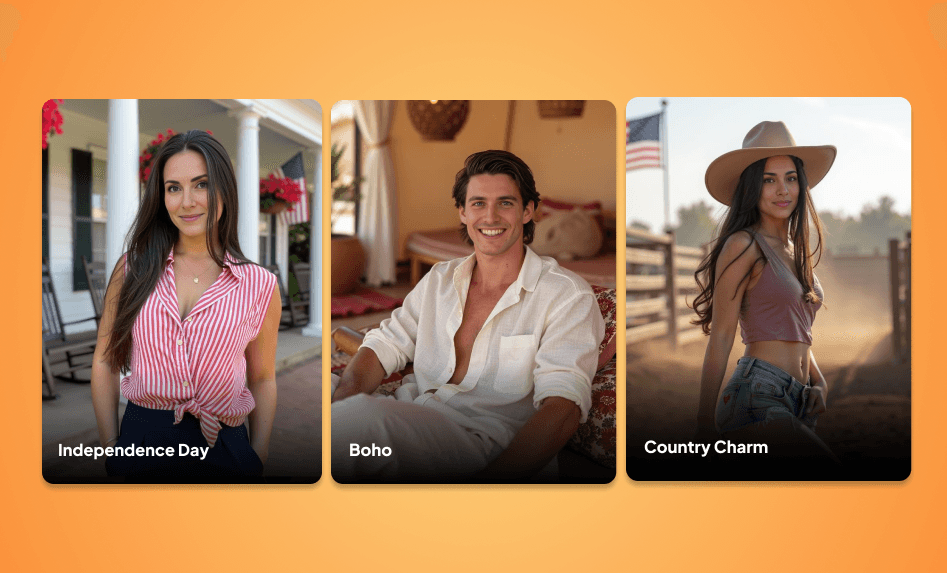
Three new creative packs are now available to give your photos a fresh seasonal look!
What's New
- US Independence Day: Celebrate with the US flag, blue skies, and outdoor summer scenes.
- Boho: See yourself in flowy outfits, open fields, and warm daylight.
- Country Charm: For people who love western-inspired settings and feeling like you're in the countryside.
Where You'll See It
- Available now in Create photos → All packs
Notifications Panel – See the Latest Updates Instantly
You can now view Aragon’s newest updates directly in your dashboard. The new Notifications Panel keeps you up to date with new releases, improvements, and new photo packs!
What’s New
- Easy access: Click the bell icon at the top of your dashboard to open the panel.
- Instant redirects: Click on any notification to go straight to that new feature or update.
- Smart tracking: Unread notifications are highlighted until you view or mark them as read.
Where You’ll See It
- Available now on your dashboard in the left navigation bar.
Gift Cards – Purchase Aragon Credits for Friends and Family
Gift cards are now available for Aragon users on personal accounts. You can send headshots as a thoughtful gift to friends, family, or coworkers directly from your dashboard.
What's New
- Choose a package: Select from $35 (Basic), $45 (Standard), or $75 (Executive) gift cards
- Add a personal touch: Choose from professional, personal, or holiday card designs and include your personal message
- Send instantly or schedule: Deliver right away or choose a future date
- Automatic confirmation: Senders receive an email confirmation after purchase
Where You'll See It
- Personal accounts: Resources → "Purchase gift cards" in the left menu
Creative Filters: Anime, Tattoo Try-On, and Photo to Painting
Bring fresh styles to your photos with three new options in the AI Editor.
What's New
- Anime Filter: Turn your photo into an anime-style version with smooth shading and stylized features while keeping your key traits recognizable.
- Tattoo Try-On: Preview tattoo designs such as floral, butterfly, lion, moon, and more (black or color), and adjust placement and size.
- Photo to Painting: Recreate your image as artwork with style options like Baroque, Graffiti, Oil, Pop Art, Realist, Sketch, Surrealist, and Watercolor.
Where You'll See It
- Available now in the AI Editor
New AI Filters in the Editor – Dream Doll, Action Figure, and Vintage Polaroid
New AI filters are now available in the Editor. Turn your photo into a doll, a collectible action figure, or give it a classic Polaroid-style finish!
What's New
- Dream Doll Generator: Creates doll-style photos with realistic packaging and themed backgrounds
- Action Figure Generator: Become your own action figure. Bold lighting, dramatic detail, and a look straight out of a collector's shelf.
- Vintage Polaroid Filter: Have an amazing photo but wish it was a Polaroid? This filter brings back that retro charm with grain, warmth, and the iconic white frame.
Where You'll See It
- Available now in the AI Editor
New Filters in the AI Editor – Baby, Black & White, and Aged Filters
Three new filters are now live in the AI Editor, offering fun and creative ways to reimagine your photos. See yourself older, as a baby, or turn your image into a timeless monochrome photo.
What's New
- Baby Filter: Shows what you might have looked like as a baby, keeping your features soft and recognizable
- Black & White Filter: Turns colored photos into clean, monochrome versions with refined contrast and tone
- Aging Filter: Jump ahead in time and see what you might look like in 2040. Aragon creates a lifelike preview of your future self.
Where You'll See It
- Available now in the AI Editor